you don;t have a right manner to store your passwords.
Dont Panic. I will always show the way.
In this post I will give you simple steps to resent the forgotten root pwd in RH,Centos and Fedora using Booting into single user mode.
!!!!!!: We urge to take backup of your data and try it out at your own risk.
STEP 1. Boot Computer and Interrupt while booting at GRUB stage hitting ‘arrow‘ keys or “space bar“.
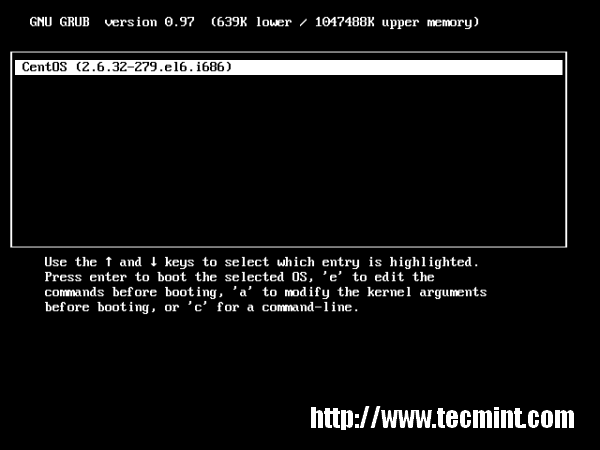
Booting GRUB Stage
STEP 2. Type ‘a‘ to modify kernel argument. Anytime you can cancel typing ‘ESC‘ key.
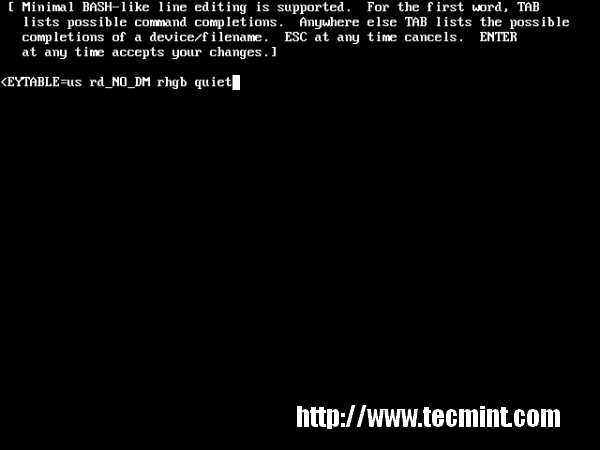
Modify Kernel Argument
STEP 3. Append 1 at the end of “rhgb quiet” and press “Enter” key to boot into single user mode.
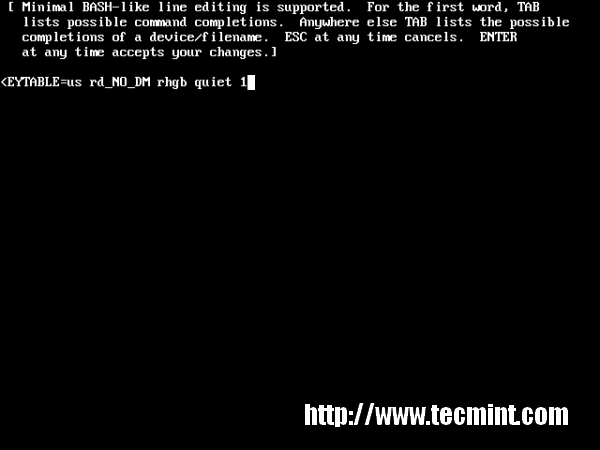
Append 1 at the Screen
STEP 4. Type command “runlevel” to know the the runlevel where you are standing. Here “1 S” state that your are in a single user mode.
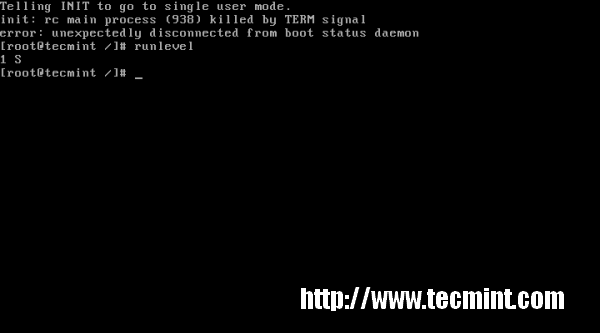
Type Command runlevel
STEP 5. Type ‘passwd‘ command without username and press ‘Enter‘ key in command prompt. It’ll ask to supply new root password and re-type the same password for confirmation. “Your are Done” Congratulation!!!
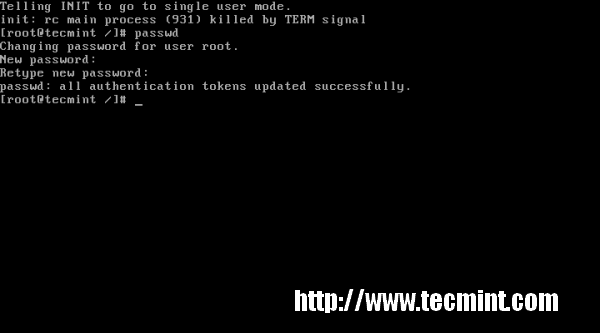
Type passwd Command
What if GRUB bootloader is password protected? We’ll cover in our next article, how to protectGRUB with password and reset the same. Stay tuned…
If you find this article is helpful, or you may have some comments or query about it please feel free to contact with us through below comment box.
Original post:http://www.tecmint.com/reset-forgotten-root-password-in-rhel-centos-and-fedora/
If you have any difficullty, kindly write to rugwiza@gmail.com

No comments:
Post a Comment